Automatic monitoring
Tracks every haircut, matches it with the invoice, and flags any difference at day's end.
An app to monitor and manage barbershops
Free 7-day trial
 Coming soon
 Coming soon
Illustrative numbers
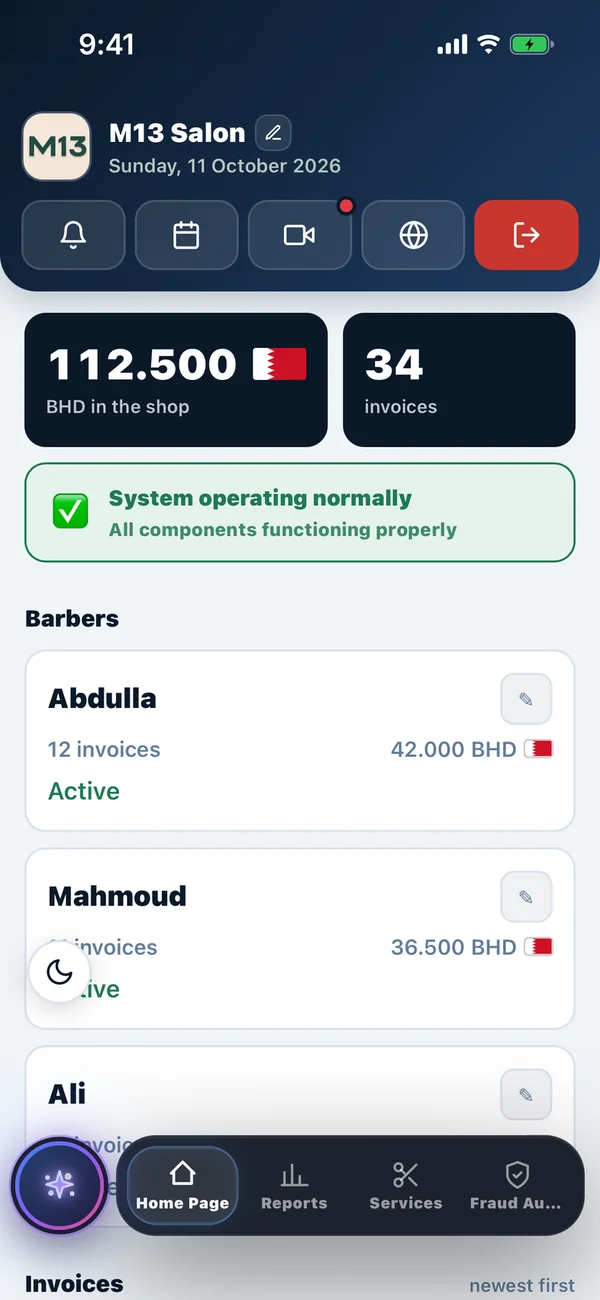
See the difference in the end-of-day report.
A haircut without an invoice? Trimly flags it
Illustrative numbers
Steps
4 simple steps
Connects to your security cameras and uses AI to detect every haircut
The barber logs the customer's invoice after each haircut
Trimly matches the haircuts detected with the invoices logged for each barber
After closing: a report and an alert for any difference
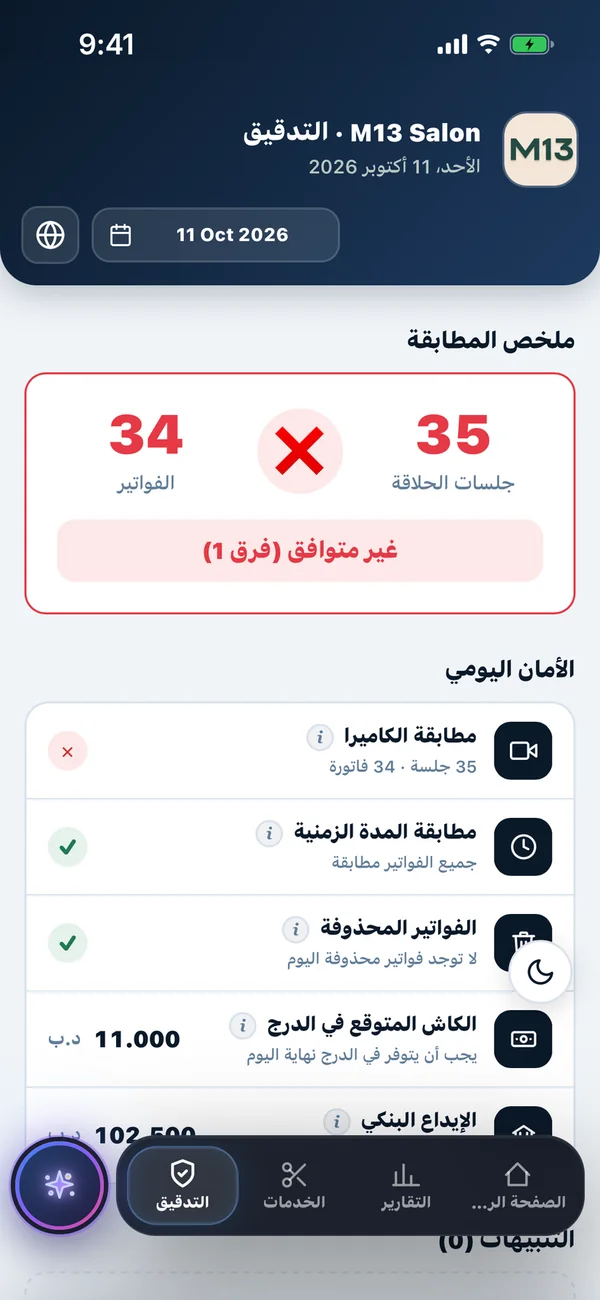
Alerts
A notification after closing time that alerts you when the number of haircuts differs from the number of invoices.
Haircuts and invoices differ
Illustrative numbers
Features
Access all your shop data from anywhere, at any time.
Tracks every haircut, matches it with the invoice, and flags any difference at day's end.
Live daily income with a clear revenue breakdown.
Ready-to-share reports with all admin and financial details.
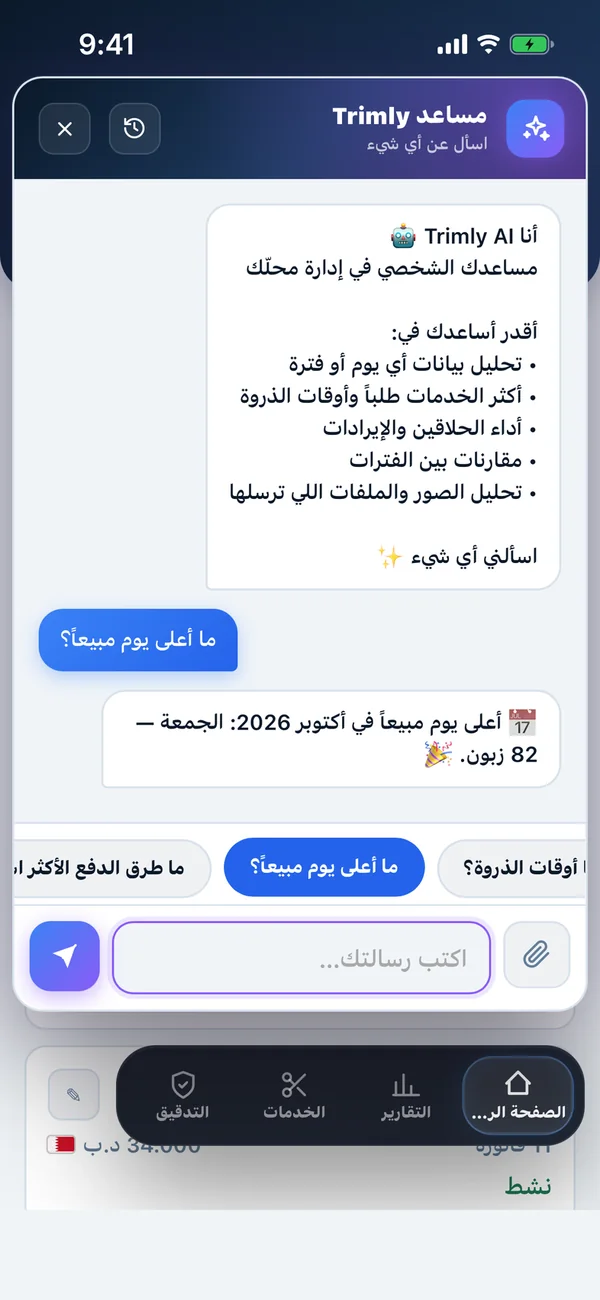
Ask about any day or period and get a full analysis.
Reports
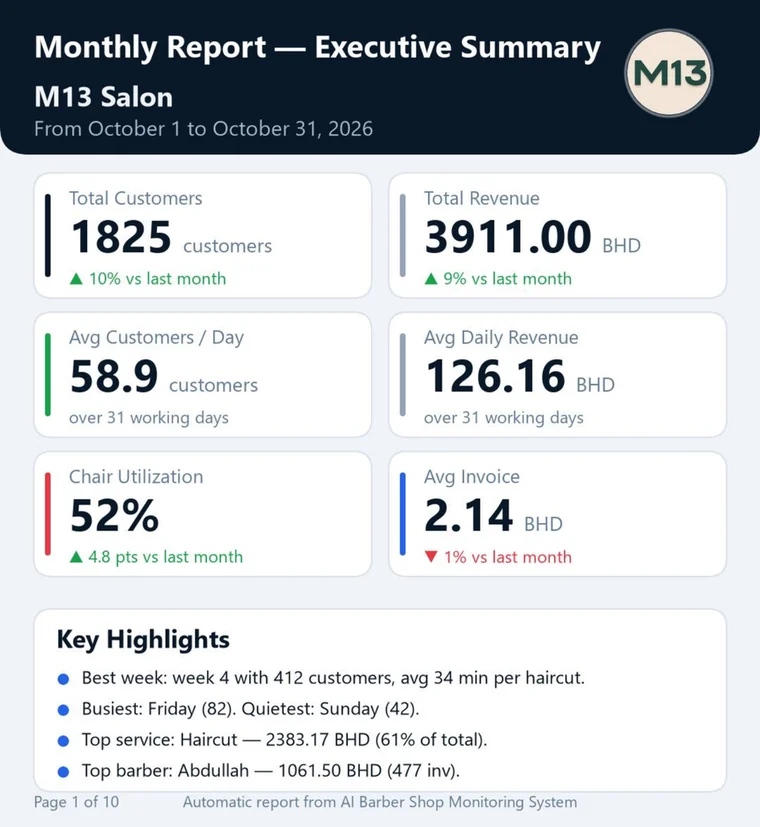
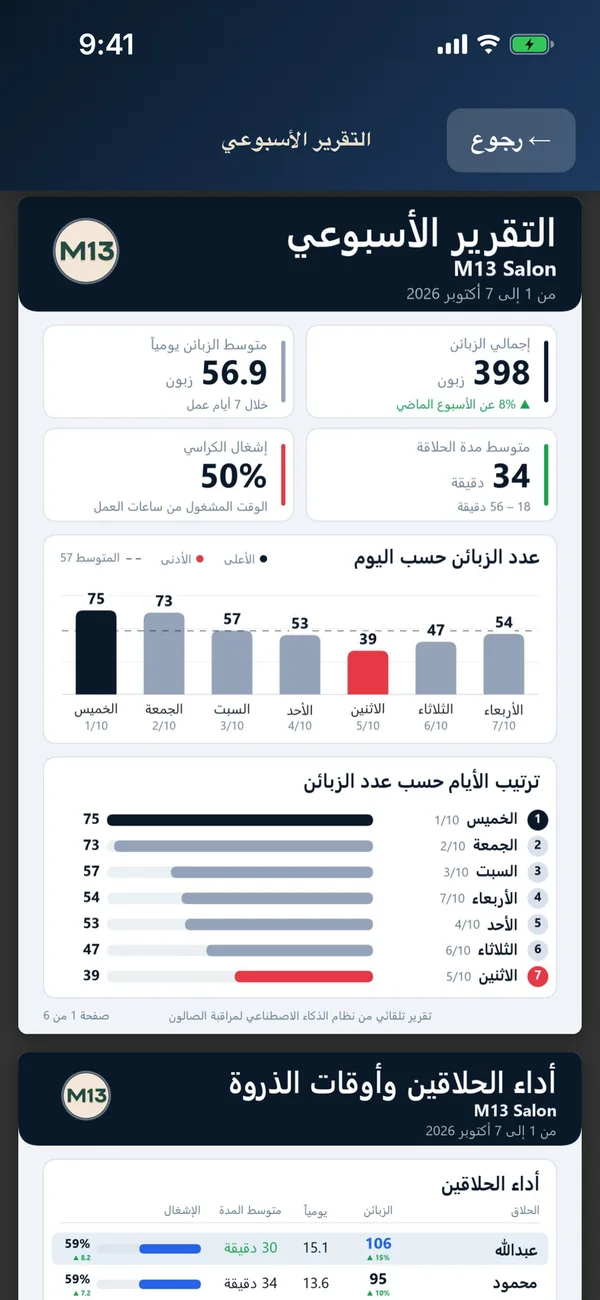
Your week at a glance and the monthly executive summary, in Arabic and English. You get a notification when your weekly report is ready.
AI assistant
Answers based on your shop's data. Ask about your busiest times, or about any day or period, and get an analysis with the numbers.
Make it yours
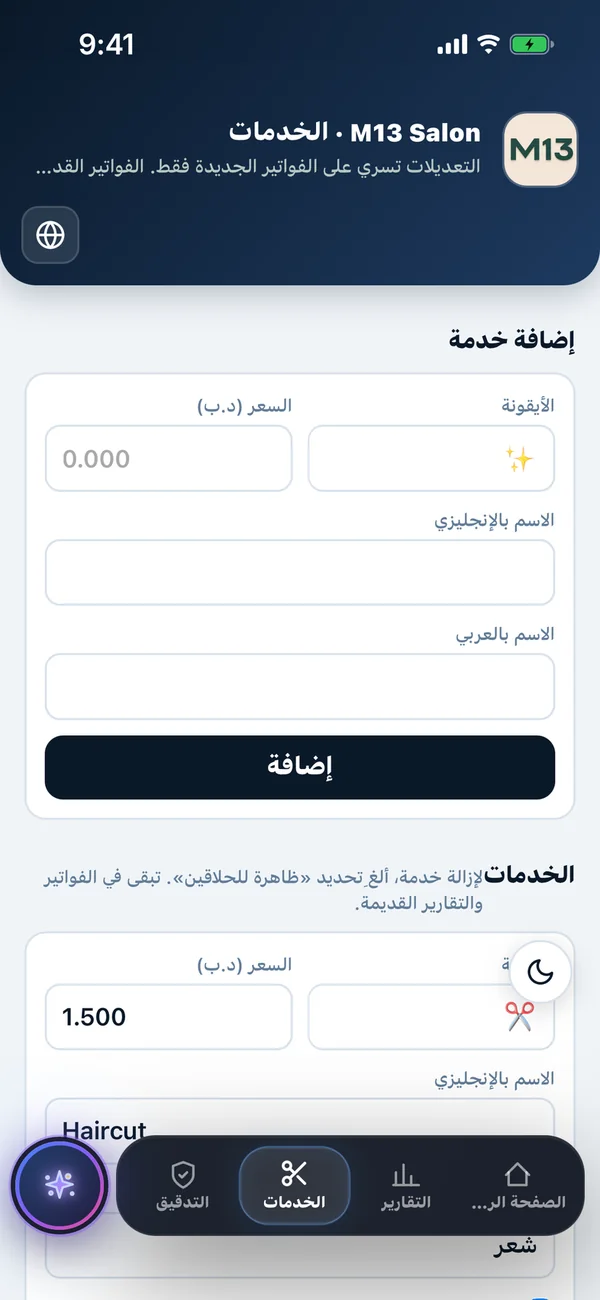
Service names in Arabic and English. The app is available in Arabic and English.
Pricing
Price per barber per month. The tier is set by the number of barbers in each branch.
Price per barber per month
Price per barber per month
Price per barber per month
Free trial for 7 days
Start from the app, no commitment.
Get started
No setup fees or technical complications.
Enter your shop details
Shop name, barbers, working hours, camera details, and chosen plan
Your request goes to our support team
Sent directly from the app
Activated and set up in under an hour
Then your system is live and you can access your data
Help
Quick answers to what shop owners ask most.
Yes. You can try Trimly free for 7 days.
Prices start from BHD 8 per barber per month, depending on your plan and number of barbers, with 30% off annual subscriptions.
Yes, with 15% off each additional branch.
No, your existing CCTV cameras are enough. Connect them to the system by entering the serial number (SN), username, and password.
Yes. Your shop's data and customer photos are private and legally protected, and can only be accessed or shared by the shop owner.
You enter your shop details in the app, your request goes straight to our support team, and your system is activated and set up in under an hour.
Your weekly and monthly PDF reports appear on the Reports page in the app, and you get a notification when they're ready.
Yes. Both the app and the reports are available in Arabic and English.
We're here
We're happy to answer your questions.
Coming soonComing soon